
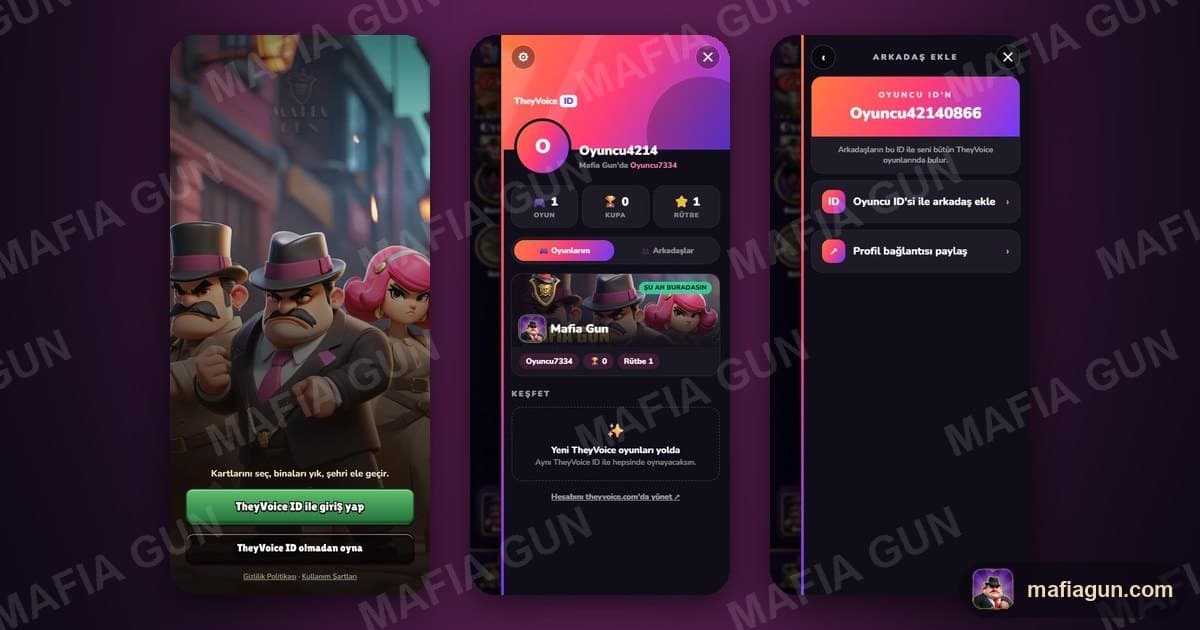
TheyVoice ID: one account for every game
Mafia Gun now runs on TheyVoice ID. Here is how to save your account, move to a new device and add friends.
TheyVoice ID is the one account you use in every TheyVoice game. It starts with Mafia Gun; every TheyVoice game that follows will open with the same account and the same friends.
In this article:
- ●What is TheyVoice ID?
- ●What happened to my old account?
- ●How do I get in?
- ●How do I save my account?
- ●Switching devices and accounts
- ●Adding friends
- ●FAQ
What is TheyVoice ID?
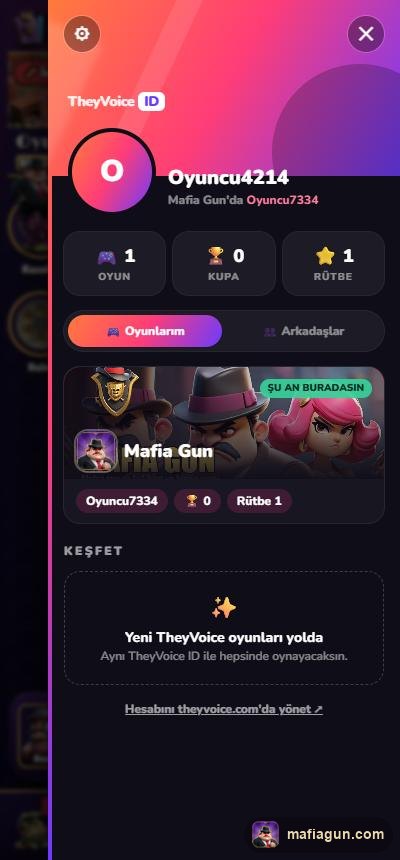
One account for every TheyVoice game. The My games tab shows which games you play, under which name and with how many trophies. Your friends come with you to every game.
What happened to my old account?
Nothing for you to do. When you open the game, your account moves to TheyVoice ID with the same trophies, cards and Family. If you used to sign in with Google, your account is found automatically when you sign in with Google again.
How do I get in?



The sign-in screen has two buttons:
- ●Sign in with TheyVoice ID: A panel slides in with the accounts on this device; just tap one. No account yet? Choose Sign in with another TheyVoice ID and use the code sent to your e-mail, or Google.
- ●Play without TheyVoice ID: The game asks your age and takes you straight to the Training Camp. Your account stays on that device.
How do I save my account?

If you play without TheyVoice ID, your account lives only on that device. A new phone or a cleared browser can lose it. Saving takes a minute:
- ●Tap the orange TheyVoice ID button in the menu
- ●Open Settings with the ⚙ in the top left
- ●Tap Save account and enter your e-mail, or choose Google
You can also add Google with Link, so you can sign in either way.
Switching devices and accounts
- ●On a new device, tap Sign in with TheyVoice ID and use the e-mail or Google you saved with.
- ●Several accounts on one device? Switch with Settings → Switch account.
- ●If we notice another account with more trophies on this device when you open the game, an Account Alert pops up. Tap OK to switch to it.
Adding friends
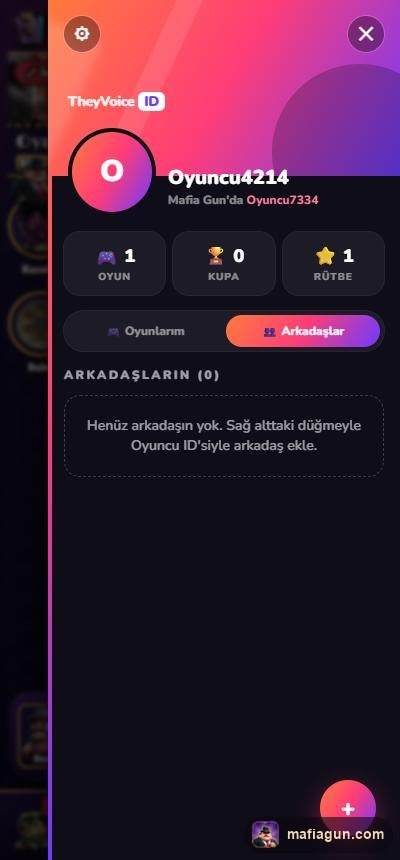

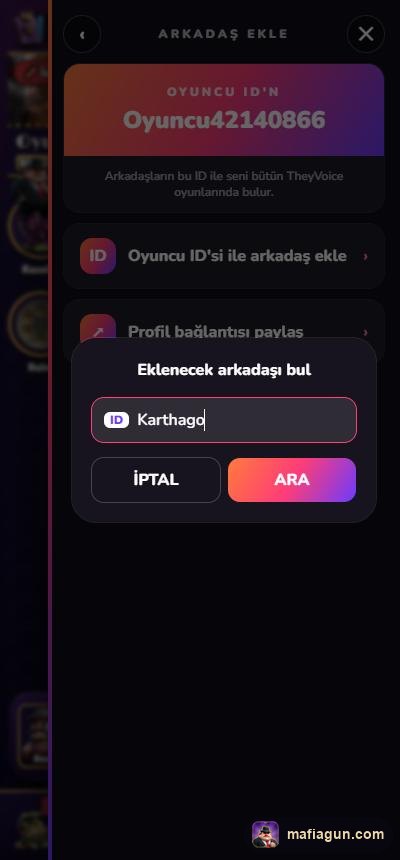
- ●In the TheyVoice ID panel, open the Friends tab and tap the + in the bottom right
- ●Your Player ID is at the top; share it with your friend
- ●Tap Add a friend by Player ID, type your friend's ID and hit SEARCH
- ●Tap ADD on their profile. Once they accept, you are on each other's lists
- ●Share profile link sends your link; whoever taps it sees your profile right in the game
On a friend's profile you can see their friends and add them too. Only your friends can see your friend list.
FAQ
Is there a password? No. You sign in with a one-time code sent to your e-mail, or with Google.
Do my cards and trophies come along? Yes, all of it stays with your account.
Where do I manage my account? Manage account in Settings takes you to theyvoice.com.
Try it now: mafiagun.com
See you on the streets, The Mafia Gun Team

Related game
Mafia Gun
Mafia-themed, real-time 1v1 card and building battles.